
Assess the site and existing routes
We review network points, cable routes and existing infrastructure to identify what can be retained and what needs reorganization or upgrading.
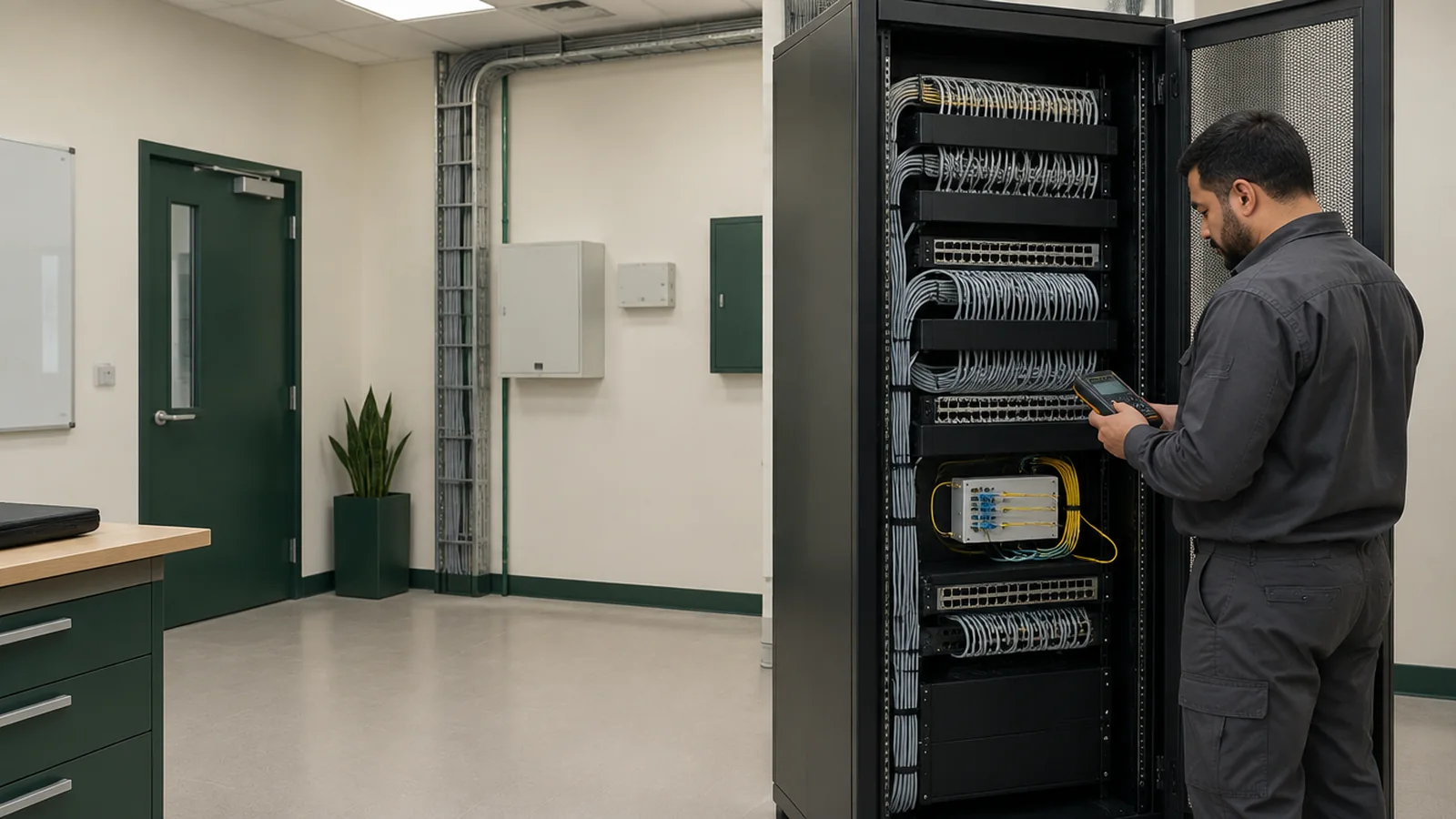
We plan and install data cabling, connect floors and buildings, and organize network cabinets for clearer infrastructure, easier maintenance and expansion.
Older or undocumented cables, with network point routes that are hard to trace.
Crowded racks and tangled connections that complicate maintenance and fault finding.
Dropouts or poor connectivity that may originate in cabling or terminations.
Unsuitable cables or routes, and no clear backbone between floors.
Temporary additions that cannot keep up with more users and systems.
New or refurbished premises needing network infrastructure planned from the start.
Routers, switches and Wi-Fi access points depend on the cabling and links between them. If that foundation is unsuitable, connection problems can remain even after equipment is replaced.
Suitable cables and protected, planned routes to work areas help create connectivity that can be maintained and developed.
Organized cabinets and patch panels bring network points into clear locations and simplify changes and maintenance.
The backbone connects floors and areas. Fiber may be used according to distance, link requirements and the wider network design.
Identifying points, routes and patch panel connections helps with fault tracing. Documentation requirements are defined in the work scope.
We review network points, cable routes and existing infrastructure to identify what can be retained and what needs reorganization or upgrading.
We plan data points and routes around spaces, systems and growth, then install network cabling as part of a coordinated layout.
We plan and install fiber links between floors or buildings where needed, selecting connectivity around distance, speed and site conditions.
We install and organize cabinets, racks and patch panels so connections are easier to access, trace and maintain.
Assessment may identify cable reorganization, targeted replacement, new routes or additional backbone links rather than a complete rebuild.
We test points and links after installation. Labeling, route records, point documentation and handover information follow the agreed scope.
Start with a survey of routes, points and connections to define the right installation or upgrade scope.
Prepare network cabling for a commercial building, warehouse or new site, planning routes and points before systems are installed.
Add a floor or work area, change an office layout, increase users or install access points and new connected systems.
Plan a backbone or fiber optic links between parts of the premises according to distance, available routes and network needs.
Reorganize racks and patch panels, assess older cables or address missing point records and recurring connectivity faults.
The survey defines the work. A project may combine new infrastructure with improvements to existing cabling.
Distance, required speed, site conditions, floor and building links, and expansion plans guide the choice. Fiber is not automatically better for every point; a design may use both.
May suit data points and equipment connections within work areas when route lengths and cable capabilities match the required use.
May suit backbone links and longer connections between floors or buildings, depending on speed, site conditions and the network components used.
Review usage, spaces and required systems.
Assess points, cabling and existing infrastructure.
Define cables, routes and backbone connections.
Deploy cabling, cabinets and connections within scope.
Review network points and links after installation.
Organize point records and handover information as agreed.
The Raseila approach
We consider points, routes, floors and systems together, including expansion before installation.
We identify what needs upgrading or reorganization before proposing complete replacement.
We choose copper or fiber for its intended use and organize cabinets and patch panels to support maintenance.
We review actual points and connectivity after deployment against network needs and the agreed scope.
Structured cabling plans routes, data points, patch panels and cabinets within a coordinated layout instead of adding individual cables without an overall plan. Agreed labeling and documentation help with maintenance and expansion.
Fiber may be suitable when distance, required speed, site conditions or backbone needs call for it. We assess these factors and network components; a project may use copper for data points and fiber for the backbone.
Yes, when existing sections remain suitable. Rack reorganization, repairs to selected points or partial cable and link upgrades may be enough. Assessment determines what can be retained.
Yes, within the project scope. Work can include cabinet and rack installation, patch panels and cable management, with labeling and documentation agreed as part of the scope.
Yes, where suitable for the site and design. We assess distances, available routes, connection points and network requirements before defining the installation.
A survey helps us understand routes, data points, cabinets, existing infrastructure and expansion needs, then select the appropriate cabling, links and work scope.
Next step
Start with a survey of existing cabling and connectivity to identify what needs organizing, upgrading or building from the start.